
Learn how currency conversion works at checkout, who sets the exchange rate, what fees may apply, and whether you should pay in local currency or your home currency.
You’re buying something online from another country or standing at a checkout counter while traveling abroad. When it’s time to pay, the screen suddenly gives you a choice:
Pay in the local currency — or pay in your home currency?
It sounds convenient to see the price converted into dollars immediately. But the currency you choose at checkout can affect the exchange rate used and potentially the final amount you pay.
Currency conversion at checkout involves several moving parts, including the merchant, payment processor, card network, and your bank or card issuer.
Understanding what happens behind the scenes can help you make more informed decisions when shopping internationally or traveling abroad.
In this guide, we’ll explain how currency conversion works at checkout, why you may see different exchange rates, what dynamic currency conversion means, and what to consider before choosing a payment currency.
What Is Currency Conversion at Checkout?
Currency conversion at checkout happens when the currency used by a merchant is different from the currency associated with your payment method.
For example, imagine you’re traveling in Europe and purchase an item costing €100.
Your credit card account is based in U.S. dollars.
Somewhere during the transaction, that €100 purchase needs to be converted into U.S. dollars so the correct amount can appear on your account.
A simplified version looks like this:
Purchase amount in foreign currency × exchange rate = approximate amount in your home currency
If the hypothetical exchange rate were:
€1 = $1.10
then:
€100 × 1.10 = $110
However, the amount that ultimately appears on your card statement can differ because of the exchange rate used, the timing of the conversion, and any applicable fees.
Try a Currency Conversion Before You Buy
Want to estimate a conversion before completing an international purchase?
Use the VoltCurrency converter below to compare currencies and get a better idea of the converted amount.
Currency Converter
Remember that a currency converter provides an estimate based on the rate available to it. Your bank, card issuer, payment network, merchant, or payment processor may use a different rate.
Who Actually Converts the Currency?
This is where international purchases can become confusing.
Several companies may be involved in processing one transaction.
Depending on how you choose to pay, the currency conversion may be handled by:
- Your bank or card issuer
- A card payment network
- The merchant’s payment processor
- A third-party currency conversion service
The company performing the conversion matters because different providers can use different exchange rates or add different fees.
That’s one reason the converted price you see online may not exactly match the amount that eventually appears on your statement.
What Happens When You Pay in the Local Currency?
Suppose you’re visiting Spain and a store charges you €100.
At checkout, you choose to pay €100 rather than having the store convert the purchase into U.S. dollars.
The transaction is then processed in euros.
Your card network and/or card issuer handles the conversion from euros to dollars according to the terms associated with your card.
The final amount depends on factors such as:
- The exchange rate used when the transaction is processed
- Your card issuer’s policies
- Whether your card charges a foreign transaction fee
- The date the transaction is posted
This is why the exact dollar amount may not be obvious at the moment you make the purchase.
What Happens When You Choose Your Home Currency?
Sometimes a store, ATM, hotel, restaurant, or online checkout page offers to convert the transaction into your home currency immediately.
For a U.S. traveler, you might see something like:
Pay €100
or
Pay $115
Seeing the amount in dollars can feel easier because you immediately understand approximately what you’re spending.
But this convenience may involve a service known as dynamic currency conversion, or DCC.
What Is Dynamic Currency Conversion?
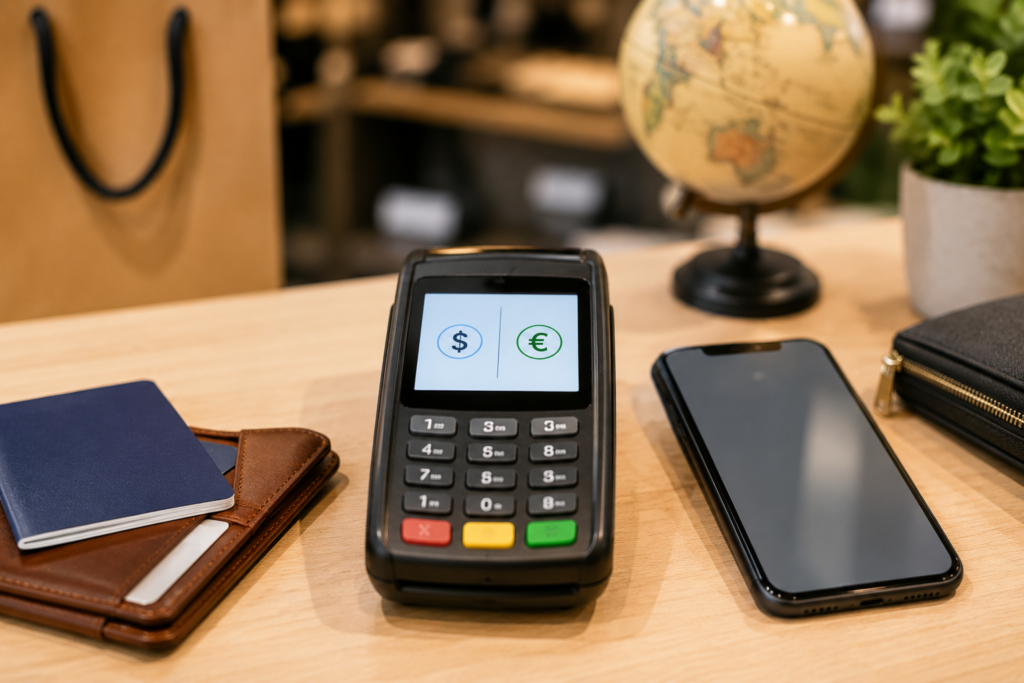
Dynamic currency conversion allows a merchant or payment provider to convert a foreign transaction into your home currency before the transaction reaches your card issuer.
Instead of allowing your card network or bank to perform the conversion, the merchant’s conversion provider calculates the amount.
For example:
Local price: €100
The checkout terminal might offer:
Pay €100
or
Pay $115
If you choose $115, the merchant’s currency conversion provider has already determined the exchange rate used for that conversion.
The important point is that the rate offered through dynamic currency conversion may not be the same as the rate your card network or issuer would otherwise use.
Is It Better to Pay in Local Currency or Your Home Currency?
There isn’t one answer that applies to every transaction because card terms, fees, exchange rates, and payment providers differ.
However, it’s important to compare what you’re being offered rather than automatically choosing your home currency because the number looks familiar.
When you’re given a choice, consider:
The exchange rate
Look at the conversion being offered and compare it with a current market reference rate.
Foreign transaction fees
Check whether your credit or debit card charges a fee for purchases made internationally.
Currency conversion charges
Determine whether the merchant or payment provider is adding a markup or conversion charge.
Your card’s terms
Some cards are specifically designed for international travel and may have more favorable foreign transaction policies than others.
The most convenient-looking option isn’t necessarily the least expensive one.
Why Doesn’t the Checkout Exchange Rate Match Google or a Currency Converter?
This is one of the most common questions people have about foreign currency purchases.
You might look up an exchange rate online and calculate that a purchase should cost approximately $108, but your actual charge could be $110, $112, or another amount.
That doesn’t necessarily mean something went wrong.
The rate you find online may represent a mid-market or reference exchange rate.
The rate available to consumers can differ because banks and payment providers may include a spread, markup, or other charges.
Exchange rates also move throughout the day.
Learn more:
Mid-Market Exchange Rate Explained
Exchange Rate Spread Explained
What Is an Exchange Rate Spread?
An exchange rate spread is the difference between exchange rates available in the currency market and the rate a customer receives when exchanging or converting money.
Imagine the market reference rate suggests:
€1 = $1.10
A provider might effectively convert your transaction using a different consumer rate.
Even a relatively small difference can matter when converting larger amounts.
This is why comparing only the visible service fee doesn’t always tell you the complete cost of a currency conversion.
The exchange rate itself matters too.
Can Your Credit Card Charge a Foreign Transaction Fee?
Yes, some credit and debit cards charge foreign transaction fees.
These fees are separate from the exchange rate itself.
For example, if you make a foreign purchase worth the equivalent of $500, a card that charges a foreign transaction fee could add an additional cost according to the card’s terms.
Other cards may advertise no foreign transaction fees.
Before traveling internationally or making frequent purchases from foreign merchants, check your cardholder agreement or issuer’s current fee schedule.
Does Online Shopping Work the Same Way?
The basic idea is similar, although online stores can present currency options differently.
Imagine you’re in the United States and shopping from a European website.
The website might display prices in euros but offer to show or charge you in U.S. dollars.
There are several possibilities.
The merchant may charge you directly in euros and let your payment provider handle the conversion.
The merchant may convert the purchase into dollars itself.
A payment processor may offer currency conversion during checkout.
The website may also simply display an estimated dollar price while still processing the actual transaction in another currency.
Always check the currency being charged, not just the currency displayed while browsing.
Display Currency vs. Billing Currency
This distinction is especially important when shopping online.
A website may allow you to display prices in U.S. dollars for convenience.
That doesn’t always mean your payment will actually be processed in dollars.
For example, an international website might show:
Approximate price: $82
But during checkout, the transaction could still be processed as:
€75
Your bank would then convert the €75 transaction into dollars.
Before confirming an international purchase, look at the final checkout screen to determine the actual billing currency.
Why Can the Final Amount Change After Checkout?
Sometimes the amount you estimate when making a purchase differs slightly from the amount that eventually posts to your account.
One reason is timing.
Currency exchange rates fluctuate continuously.
A transaction may be authorized on one day but officially processed or posted later.
If the exchange rate changes between those points, the converted amount may also change.
Other factors can include:
- Merchant adjustments
- Tips
- Deposits
- Hotel or rental-car holds
- Card issuer fees
- Currency conversion charges
This is another reason a currency converter should be treated as an estimating tool rather than a guarantee of the exact final charge.
How to Estimate an International Purchase Yourself
You can also calculate an approximate conversion manually.
Suppose an item costs:
2,000 Mexican pesos
And the hypothetical exchange rate is:
1 MXN = $0.055
Calculate:
2,000 × 0.055 = $110
Your estimated converted price would therefore be approximately $110 before any applicable fees or differences in the rate actually used by the payment provider.
For a more detailed explanation, read:
How to Convert Money From One Currency to Another
You can also see:
Simple Currency Exchange Formula
What Should You Check Before an International Purchase?
Before clicking the final payment button or tapping your card abroad, take a few seconds to look at the transaction.
Check:
- What currency the merchant is charging
- Whether you’re being offered a currency choice
- The exchange rate shown, if available
- Whether a conversion fee or markup is disclosed
- Whether your card charges foreign transaction fees
- Whether the displayed currency is different from the billing currency
For larger purchases, even small differences in exchange rates and fees can become noticeable.
Example: Buying Something While Traveling
Imagine you’re traveling and purchase an item for £200.
At checkout, you’re offered two choices:
Option A: Pay £200
Option B: Pay $275
You could check a current reference exchange rate before deciding.
Suppose your rough calculation suggests:
£200 ≈ $260
That doesn’t automatically tell you what your card issuer’s final amount would be, but it gives you a useful comparison point.
If the checkout conversion is substantially different from the reference amount, it’s worth understanding why before accepting it.
Example: Buying From an International Website
Suppose an online product costs ¥20,000.
You live in the United States.
Before purchasing, you can estimate the dollar amount using the current exchange rate.
If the hypothetical rate were:
¥1 = $0.0068
then:
20,000 × 0.0068 = $136
Your estimated cost would be approximately $136.
If the merchant offers to charge $145 instead, you now have information you can use to evaluate the conversion being offered.
The actual cost through your card could still differ, but you’ve at least established a reference point.
Why Exchange Rates Matter More on Large Purchases
Small differences may seem insignificant when you’re buying a cup of coffee.
They become more noticeable when you’re paying for:
- Hotels
- Vacation rentals
- Airline tickets
- Electronics
- Tours
- Rental cars
- Large online purchases
For example, a 2% difference on a $20 purchase is small.
A 2% difference on a $3,000 international purchase is much more noticeable.
Understanding the exchange rate before completing a large transaction can therefore be particularly useful.
Frequently Asked Questions
How does currency conversion work when paying by card?
When you make a purchase in a currency different from your card’s home currency, the transaction must be converted. Depending on the transaction, the conversion may be performed by your card network, issuer, merchant, or another payment provider.
Should I pay in USD when traveling abroad?
If you’re offered USD instead of the local currency, check the exchange rate and any disclosed fees before choosing. Paying in your home currency may involve dynamic currency conversion.
What is dynamic currency conversion?
Dynamic currency conversion is a service that converts a transaction into the cardholder’s home currency at the point of sale rather than leaving the conversion to the card network or issuer.
Why is my credit card exchange rate different from the rate online?
Online rates may represent market or reference rates. Consumer transactions can involve different rates, spreads, markups, fees, and processing times.
Can exchange rates change between purchase and posting?
Yes. Exchange rates fluctuate, and transactions can be processed at a different time from when the purchase was originally authorized.
Does a currency converter show exactly what my card will charge?
Not necessarily. A currency converter is useful for estimating the converted value, but your actual charge depends on the exchange rate and fees applied by the companies processing your transaction.
The Bottom Line
Currency conversion at checkout is more than simply changing one currency into another.
The final cost can depend on who performs the conversion, which exchange rate is used, whether a markup is included, and whether your card charges additional fees.
When you’re traveling or shopping internationally, don’t automatically select your home currency simply because the number is easier to understand.
Check the currency being charged, compare the conversion with a current reference rate, and understand your card’s fees.
A quick comparison before completing a transaction can give you a much clearer picture of what you’re actually paying.
Continue Learning About Currency Conversion
How to Convert Money From One Currency to Another
How to Convert Currency Using Exchange Rates
Simple Currency Exchange Formula
Exchange Rate Spread Explained
Mid-Market Exchange Rate Explained
VoltCurrency provides educational information and currency-conversion estimates only. Exchange rates, fees, and card terms can change. Always verify current rates, fees, and transaction terms with your bank, card issuer, merchant, or payment provider before making financial decisions.